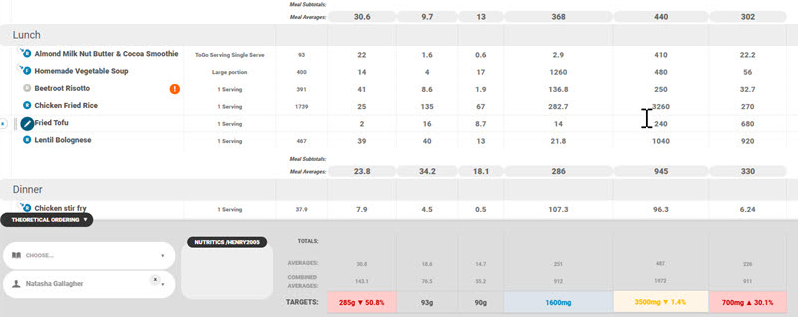
The Theoretical Ordering panel allows you to attach the menu to clients and apply dietary preferences.
You can find this panel below the menu workspace:

Once a client is attached to the menu, items that don’t fit their dietary preferences will automatically be greyed out making them easy to identify:

The menu footer features dynamic colour-coded indicators that automatically evaluate combined daily totals against pre-configured patient DRV targets.
The totals highlight in:
- Blue when within recommended ranges.
- Red when outside target bounds.
- Amber with percentage indicators for items within a ±7.5% boundary margin.