With Insights Premium, you can schedule Insights reports to be delivered automatically by email. Scheduling a report allows you to set up an Insights report to be sent to you automatically according to your chosen schedule.
Once configured, the report will be generated and emailed to you when it is due.
How to schedule a report?
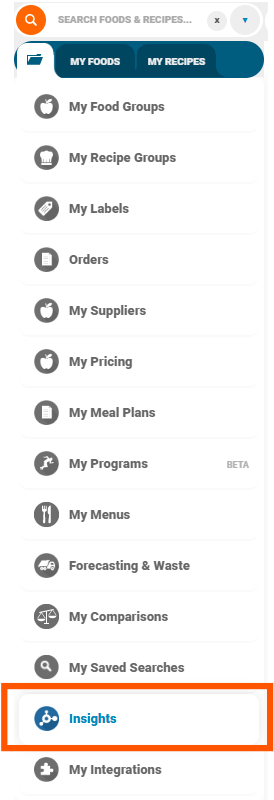
Open your Insights folder, your dashboard may look slightly different:
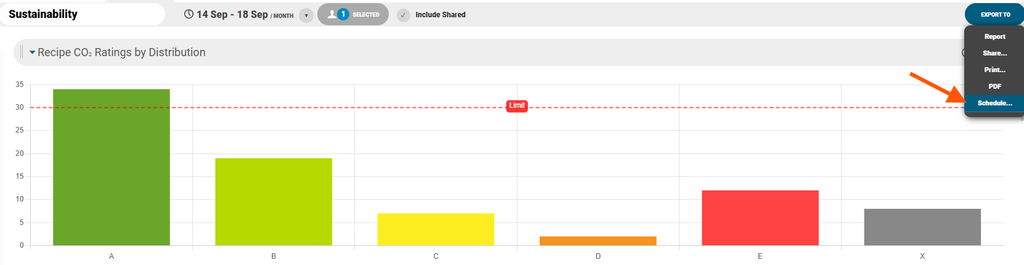
Open the report or chart you would like to schedule and choose Export To > Schedule:
Configure the schedule to include the Format, Repeat Schedule, Time, Start Date and Email Address and then click Save:
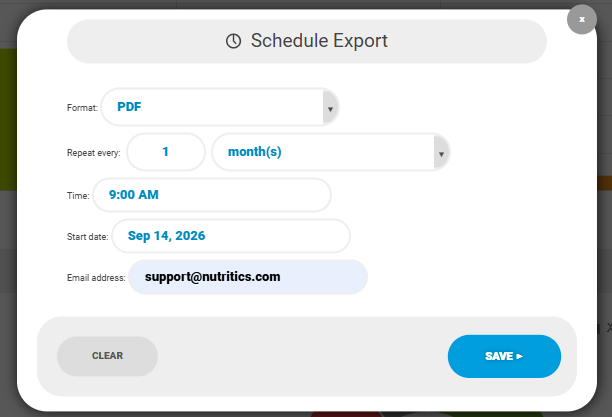
Your report will then be generated and delivered automatically according to the schedule you have set for designated reports.
Please Note: Scheduled reports are only delivered while Insights Premium is enabled on your account.